
For desktop, you can use browser extensions, there are many but and offer more customization and get great feedback from users.
For mobile, you can use a browser that allows extensions (Chrome mobile does not) or use the default brand browsers like Samsung/Mi Browsers.
For Chrome specifically, on both desktop and mobile there is a hidden feature that forces dark mode on all websites and it can also be synced with your system's dark mode if needed.
Night Eye extension on Firefox desktop browser:
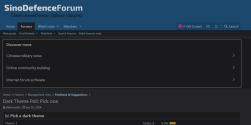
Mi Browser's native dark mode:

Chrome mobile's native dark mode after enabling the force-dark feature:

For mobile, you can use a browser that allows extensions (Chrome mobile does not) or use the default brand browsers like Samsung/Mi Browsers.
For Chrome specifically, on both desktop and mobile there is a hidden feature that forces dark mode on all websites and it can also be synced with your system's dark mode if needed.
It's done, 99% of websites on chrome are now in dark mode.
- Go to: chrome://flags/#enable-force-dark
- Set "Force Dark Mode for Web Contents" to enable
- Restart Google Chrome
Night Eye extension on Firefox desktop browser:
Mi Browser's native dark mode:
Chrome mobile's native dark mode after enabling the force-dark feature:
Last edited:

